Home > PowerBI templates > Meta Ads Performances template

Meta Ads Performances Data Studio PowerBI template

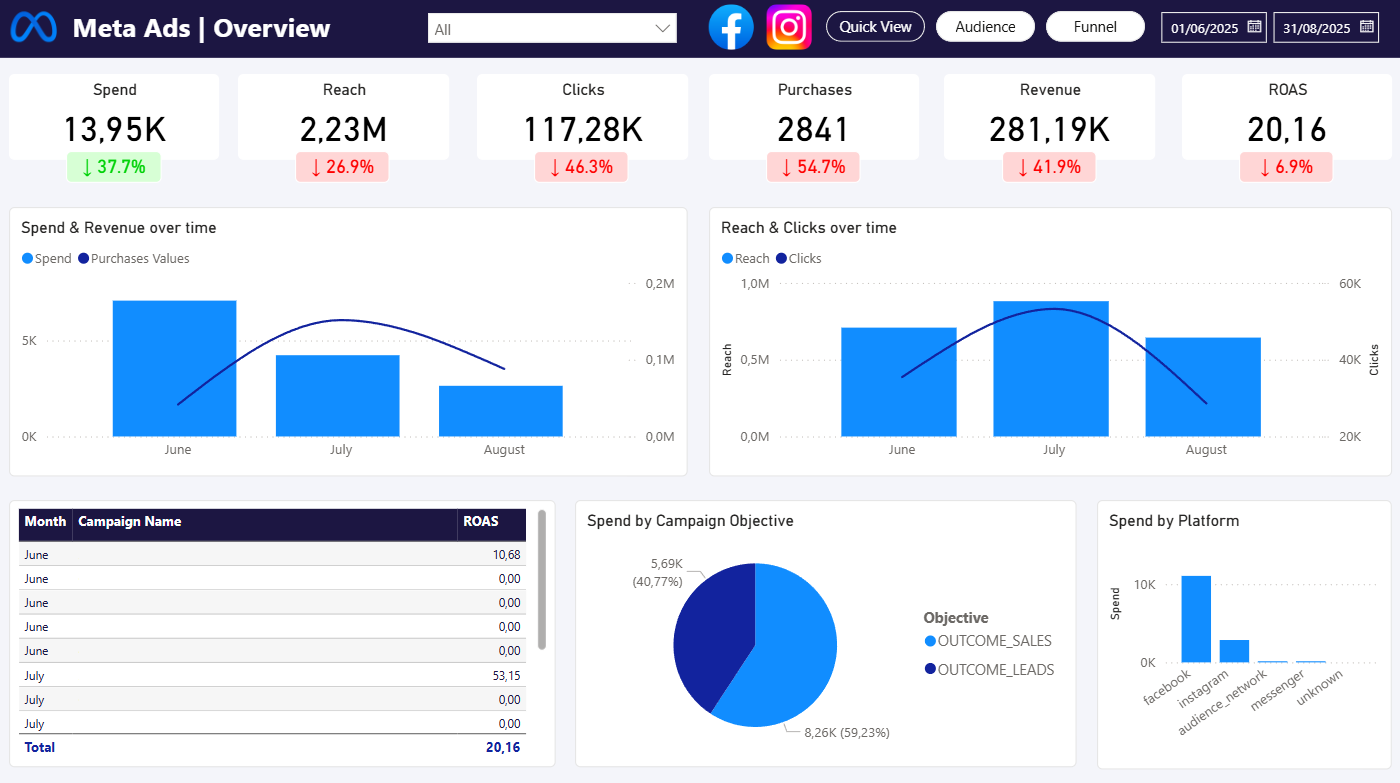
Free Power BI template to track Meta Ads performance by campaign and platform (Facebook & Instagram).
14 days free-trial
No credit-card required
Access all features
No items found.

Meta Ads Performances

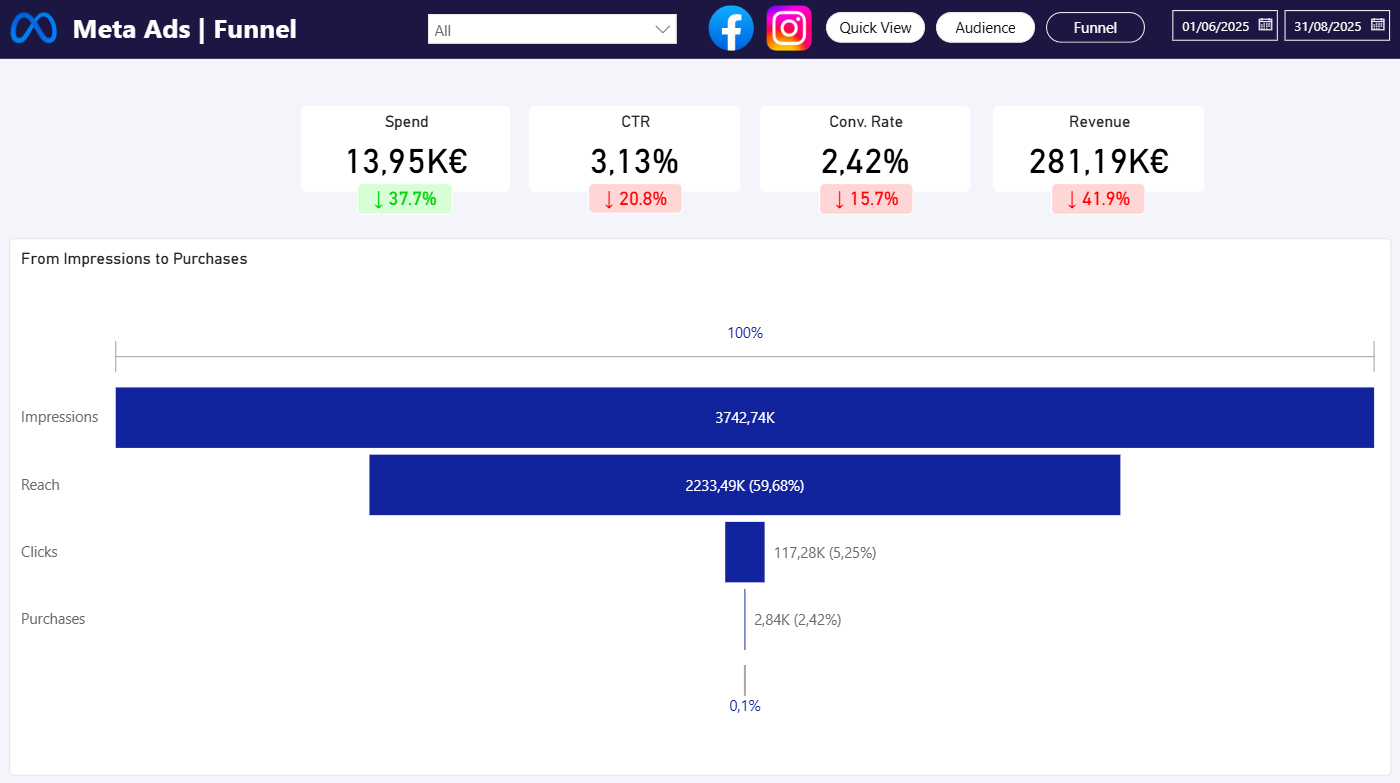
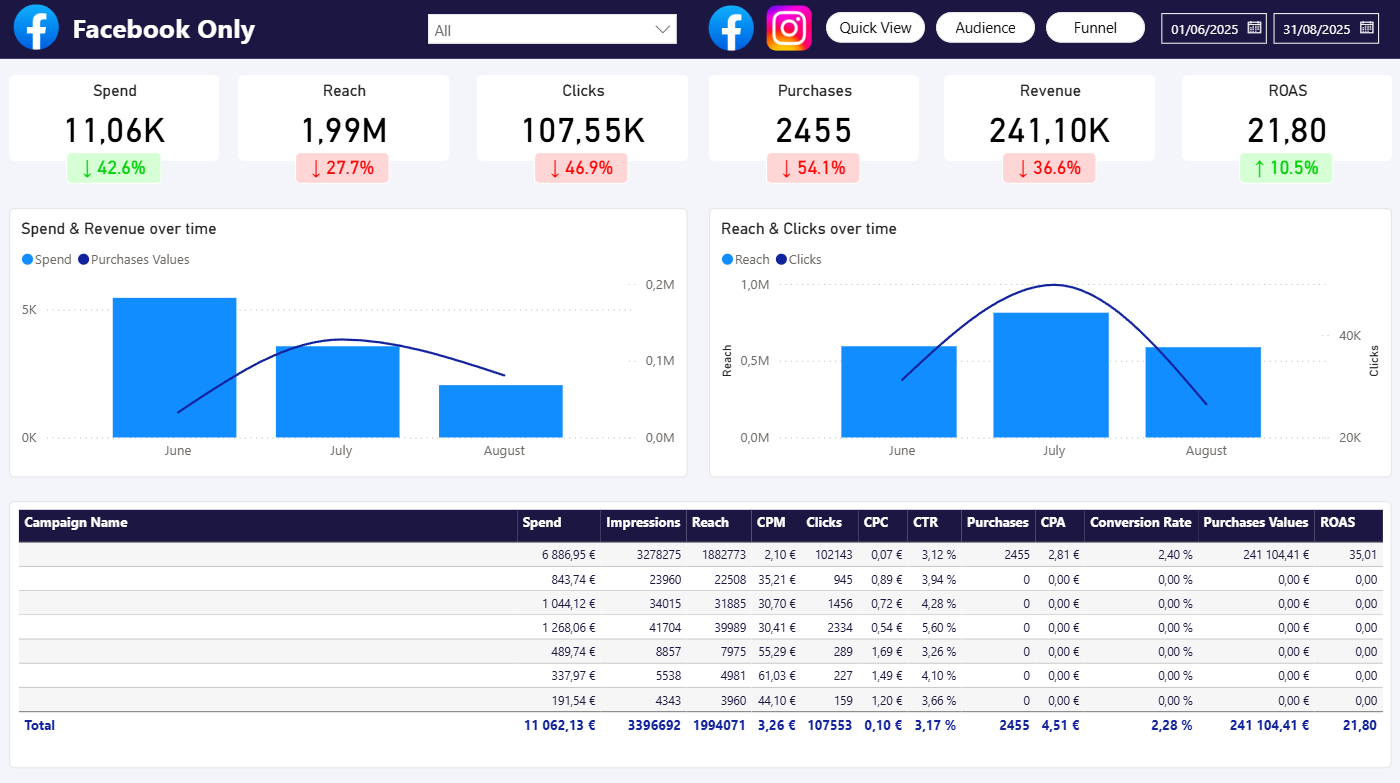
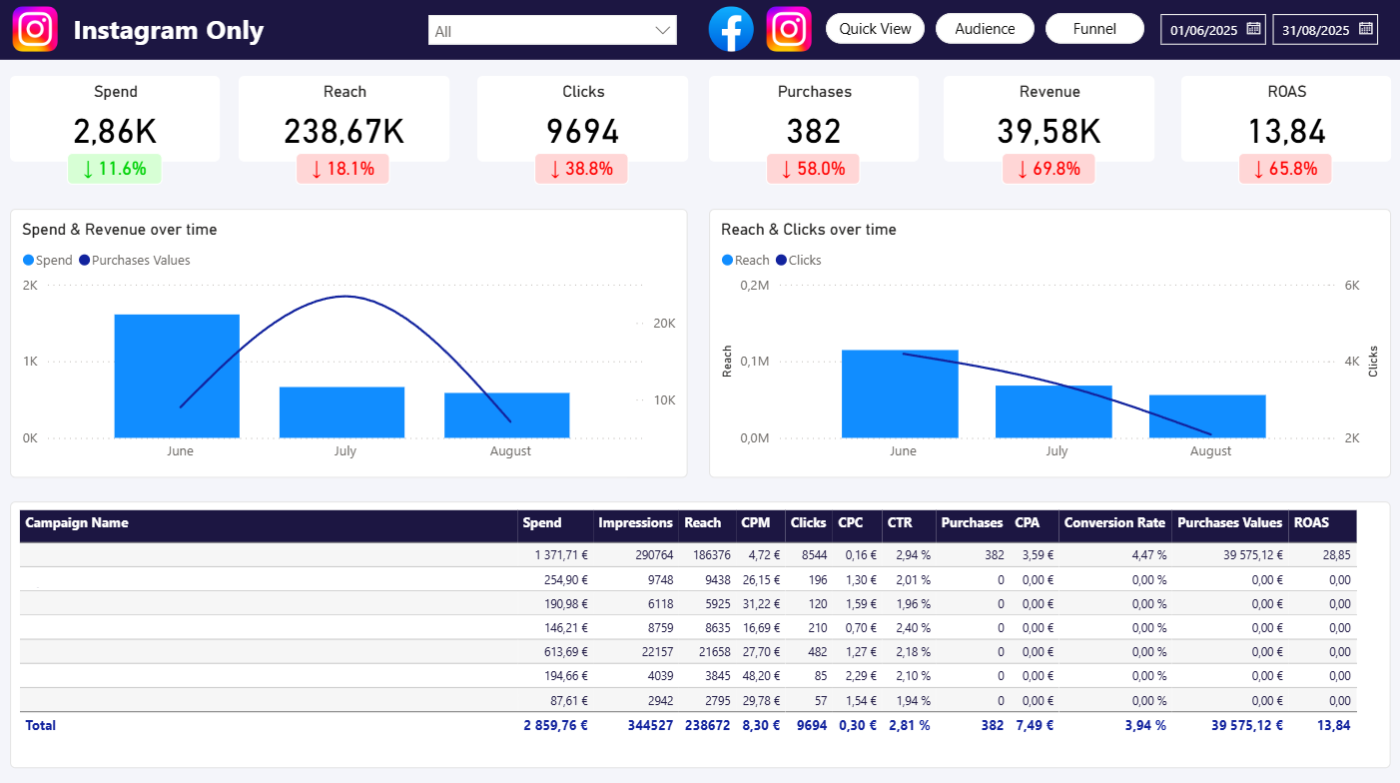
Meta Ads Performances by Campaign & Platform

Use a free Power BI template to analyze your Meta Ads data. This template includes 3 queries creating 3 datasets, linked by date and account name in Power BI. Among these queries, you will find:

  • Performance by Campaign & Platform
  • Audience by Age & Gender
  • Audience by Country

Metrics used

Performances by Campaign & Platform

  • Spend
  • Impressions
  • Clicks
  • Purchases
  • Purchases Values
  • Adds to cart

Measures created: CPM, CPC, CPA, CTR, Conversion Rate, ROAS

Audience by Age & Gender

  • Spend
  • Impressions
  • Clicks
  • Purchases
  • Purchases Values
  • Adds to cart

Audience by Country

  • Spend
  • Impressions
  • Clicks
  • Purchases
  • Purchases Values
  • Adds to cart

Dimensions used

Performances by Campaign & Platform

  • Date
  • Account Name
  • Campaign Name
  • Campaign Objective
  • Publisher Platform

Audience by Age & Gender

  • Date
  • Account Name
  • Age
  • Gender

Audience by Country

  • Date
  • Account Name
  • Country
No items found.

Connect your Meta Ads Performances data in 3 minutes

The handoff is a URL: Catchr defines its response, and Power BI decides how the imported data is transformed, modeled, refreshed, and shared.

Connect one marketing source

Authorize the marketing platform you want to query. A query uses one source, but it can include multiple accounts from that source.

Paste the URL into Power BI

In Power BI Desktop, select Get data, choose Web, keep the Basic URL option, paste the saved Catchr URL, and connect.

Open your report

Enjoy this template with your data, automatically refresh, so always up-to-date.

Looking for other PowerBI dashboard ?

Move from connected data to useful reporting faster with dashboard patterns built around real marketing workflows.

Before you open the PowerBI report.

Clear answers about the template file, connecting your data, refresh ownership, and customizing the model.

Is the Meta Ads Performances PowerBI template free ?

Yes. The Meta Ads Performances Power BI template is free to use. Connecting your own marketing data through Catchr is available with a 14-day free trial, and no credit card is required.

What is included in a Power BI template?

A template gives you a prepared reporting starting point with pages, visuals, and a model structure designed for the use case shown on this page. Review the template details and included metrics and dimensions before connecting your data.

How do I connect my marketing data to the template?

Connect the relevant marketing source in Catchr, create and save the required Power BI query, then copy its generated URL. In Power BI Desktop, choose Get data, select Web, keep Basic selected, and paste the complete URL.

Can I customize the report, Power Query steps, and DAX measures?

Yes. You can adapt the pages and visuals, change Power Query transformations, add relationships, and edit or create DAX measures. Catchr prepares the source response; the Power BI model remains yours to customize.

Can I share the finished Power BI report?

Yes. The Meta Ads Performances Power BI template is free to use. Connecting your own marketing data through Catchr is available with a 14-day free trial, and no credit card is required.

Is the Meta Ads Performances PowerBI template free ?

Yes. After connecting and adapting the template, share the file or publish the report through your usual Power BI workflow. Workspace access, permissions, and sharing features depend on your Microsoft setup and license.

Still have a question ? 

Our teams is always here to responds to any question you could have about our data connector. 

Your next report should not start with five exports.

Connect your marketing platforms and build a data workflow your entire agency can use.

14 days free-trial
No credit-card required
100+ sources