
You have a client call in an hour. Google Ads shows one set of results, Meta reports another, and GA4 tells a different story about what happened on the website. Before you can explain performance, you need to collect the numbers.
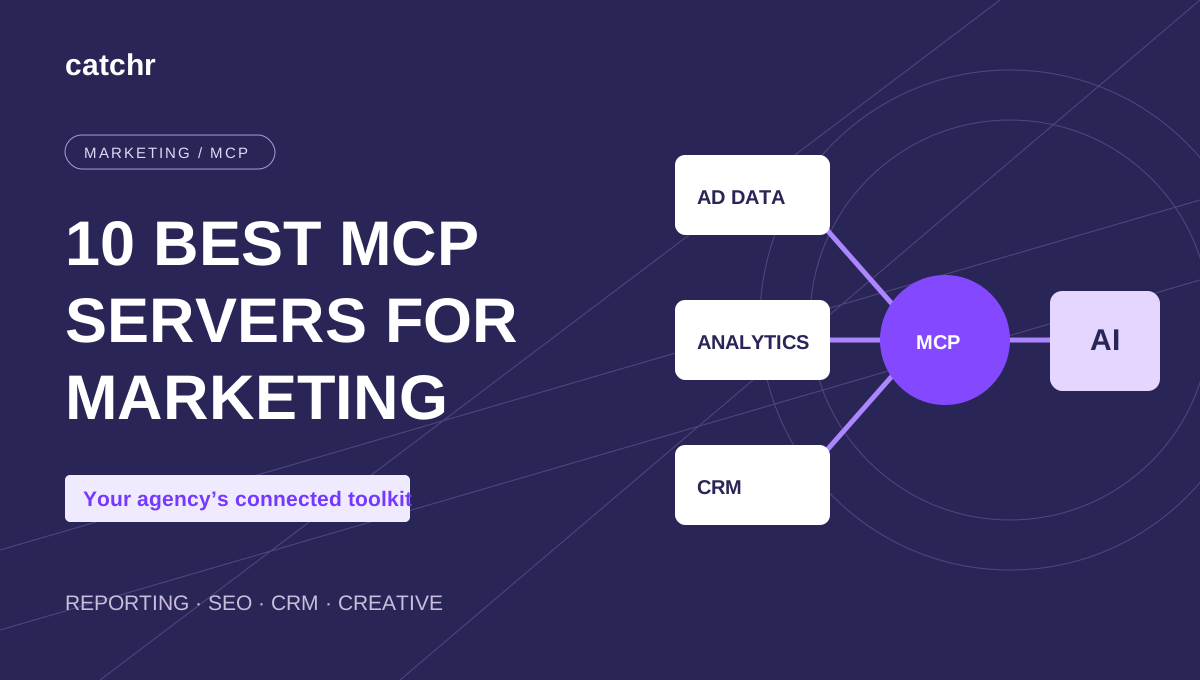
A marketing MCP server gives your AI assistant access to connected tools so you can ask questions about that data in a conversation. Some servers also let you update records, create content, or take campaign actions.
For agencies reviewing multiple clients and channels, Catchr is our first pick for cross-channel reporting. Ahrefs is a strong choice for SEO research, HubSpot for CRM context, and Canva for creative production. The right combination depends on the work you need to finish.
This guide compares ten options by use case, access requirements, and practical limitations. If the terminology is new, our guide to MCP for marketing teams explains how the connection works.
Best marketing MCP servers at a glance
| MCP server | Best for | Data or work it connects | Setup and access | Cost considerations |
|---|---|---|---|---|
| Catchr | Cross-channel agency reporting | Connected advertising, analytics, ecommerce, and other marketing sources | Hosted connector; connect sources and authorize your assistant | Starter: $24/month, billed monthly; 3 platforms and 10 accounts |
| Windsor | Multichannel data with supported campaign actions | Connected marketing and business platforms | Hosted connector | Free plan for 1 source and 1 account; Basic from $23 monthly or $19/month billed annually |
| Supermetrics | Custom marketing data workflows | Sources available through Supermetrics MCP | Standalone MCP requires a subscription with Supermetrics API access | Confirm API entitlement; AI chats is a separate product route |
| Ahrefs | SEO and competitor research | Keyword, backlink, and competitive data | Hosted MCP; Lite plan or higher | Subscription plus consumption of included API units |
| Google Analytics | Focused GA4 analysis | Authorized Analytics properties and reports | Run and configure the server, locally or on your infrastructure | Open-source server; setup, hosting if used, and assistant costs |
| Meta Ads | Native Meta advertising workflows | Your Meta advertising account | Meta connection; confirm account eligibility | Confirm current access terms; assistant and advertising costs are separate |
| HubSpot | CRM and campaign context | Permitted CRM records and marketing information | Hosted connector with account permissions | Feature availability depends on Hub and subscription |
| ActiveCampaign | Email and lifecycle work | Campaigns, contacts, and automations | Connect an ActiveCampaign account | Paid platform subscription; plan and contact limits apply |
| Canva | Marketing creative production | Designs and other permitted Canva content | Hosted AI connector | Available with Canva Free; some capabilities require paid tiers |
| Zapier | Actions across business apps | Actions in connected applications | Hosted MCP connection | Included in Zapier plans; each successful tool call uses two tasks |
Prices and product pages were reviewed on November 9, 2026. Published prices above are in USD. Your AI assistant may have its own subscription and usage requirements. A free connector does not make the underlying software, hosting, or advertising free. Sources and access details appear in each review below.
How we selected these MCP servers
We selected tools that address recurring marketing work: reviewing performance, researching opportunities, understanding customers, producing assets, and executing follow-up actions. We considered documented capabilities, connection requirements, account access, and costs that affect day-to-day use.
Catchr publishes this guide. We place Catchr first for our core audience—agencies and freelancers working across client accounts—and include direct alternatives alongside specialized tools. This is a documentation-based comparison, not a hands-on benchmark of every server. “Best for” describes our editorial recommendation for a specific job.
1. Catchr MCP

Best for cross-channel reporting across agency clients.
Catchr MCP connects Claude and ChatGPT to authorized accounts across more than 100 supported marketing platforms. You can ask for campaign breakdowns, period comparisons, and client performance summaries using data from sources such as Google Ads, Meta Ads, and Google Analytics.
For an account manager, the useful starting point is one client question: which channels changed, and which numbers should we discuss? Connect the relevant sources, select the accounts, and authorize Catchr in your assistant.
Try asking:
For [client], compare Google Ads and Meta Ads spend over [period] versus [previous period]. Show each platform's results separately and identify the largest campaign-level changes.
Starter costs $24/month billed monthly, including MCP, three platforms, ten accounts, and unlimited users and requests. Count both platforms and client accounts when choosing a plan.
Catchr is our recommendation when the job starts with reporting across sources. For SEO competitor research, creative production, or native campaign operations, consider the specialized options below. This recommendation does not imply that every source exposes campaign-editing tools.
2. Windsor MCP

Best for teams evaluating multichannel data access alongside campaign actions.
Windsor MCP connects an assistant to the sources and accounts connected to Windsor. Its documented capabilities include data analysis and write actions on supported platforms, including Google Ads and Meta Ads.
That makes it a direct alternative to evaluate when you want to move from reviewing performance to supported operational changes in the same assistant. Check the specific action you need; broad platform coverage does not mean identical tools for every source.
A useful first request is:
Compare this client's paid-channel spend with the previous period. Identify campaigns I should review before changing budgets.
Windsor's pricing lists a permanent free plan with one source and one account after its introductory trial. Basic includes three sources and 75 accounts at $23/month, or $19/month billed annually.
Compare the source limits against your client stack. The free plan can help evaluate a connection, but it does not cover an ongoing multichannel reporting setup.
3. Supermetrics MCP

Best for custom workflows built around Supermetrics marketing data.
Supermetrics distinguishes its standalone MCP server from Supermetrics AI chats. The MCP server targets custom agents, tools such as n8n, and other environments where you control the integration. Access requires a valid Supermetrics subscription with Supermetrics API access.
For marketers who simply want to chat with data in a supported assistant, Supermetrics points to its AI chats product instead. That distinction matters when comparing subscriptions and setup effort.
The MCP server can connect an AI application to available marketing sources for performance questions. Its documentation also describes campaign creation and modification, with newly created campaigns starting paused.
Example task:
Retrieve campaign performance for the selected client accounts and prepare a pacing review using our reporting template.
Consider this option if your team already uses Supermetrics and wants to build around that data access. Before buying, confirm which product includes your intended assistant, sources, and API access. Do not assume an existing reporting destination automatically includes the standalone MCP entitlement.
4. Ahrefs MCP

Best for SEO research and competitive analysis.
Ahrefs brings keyword, backlink, and competitor data into an assistant. Its hosted MCP is available on Lite plans and higher, and requests consume the account's API units.
It is a useful complement to campaign reporting. Once you know which organic pages or topics need attention, use Ahrefs to investigate search demand and the competitive landscape.
Try asking:
Compare [our domain] with [competitor domain] in the US. Identify relevant keyword opportunities and show the volume and difficulty behind each recommendation.
The value depends on the underlying research, not just the conversational interface. Keep the country, dates, and metric definitions visible when turning an answer into a content brief.
Budget for an eligible Ahrefs subscription and the API allowance your workflow needs. Ahrefs is the specialist choice here for external search intelligence; it does not replace a connection to your clients' advertising accounts for campaign reporting.
5. Google Analytics MCP

Best for focused analysis of GA4 properties.
Google's official Analytics MCP project lets an assistant query authorized Analytics data. Its documentation covers running the server locally or hosting it as a shared service, which makes setup more involved than adding a managed connector.
Use it when the question lives inside GA4:
For [property], compare landing-page performance over two equivalent periods. Show the largest changes in sessions and the key events we use to measure leads.
The server is open source. You still need the appropriate Google access, configuration, and an AI client; hosting may add costs.
Avoid assuming every version is strictly read-only. The current project documentation includes optional write tools that require explicit enablement and additional permissions. Check the installed version before relying on them.
Choose this route if GA4 is the main system you need to investigate and your team can handle setup. For a review that also needs advertising spend and several clients' accounts, evaluate a managed multichannel connection.
6. Meta Ads MCP

Best for teams evaluating Meta's native advertising connection.
Meta introduced its ads AI connectors in open beta in April 2026, describing a direct connection between advertising accounts and AI agents for campaign analysis and optimization. The launch is confirmed in Meta's official announcement to investors.
For a paid-social specialist, the appeal is working directly with the platform that holds the campaign data. An initial evaluation can start with a reporting question:
Which campaigns account for the largest change in spend and reported results over the last two comparable periods?
Confirm current eligibility, available tools, and access terms for your account through Meta's ads AI connector information. We could confirm the launch in a primary source, but could not independently verify the full current tool list or pricing terms through Meta's access-restricted pages during this review.
This is the native option to investigate for Meta-focused work. A broader client review still needs access to the client's other sources, such as Google Ads and GA4.
7. HubSpot MCP

Best for connecting marketing analysis to CRM and campaign context.
HubSpot's connector can give an assistant access to permitted CRM and marketing information. Its official update describes lead records, content analytics, landing-page creation, and email capabilities. Campaign management and attribution require Marketing Hub Professional or Enterprise.
This becomes useful when a client asks what happened after a lead arrived. A paid-media report can show acquisition performance; HubSpot adds the context held in the client's customer platform.
Example task:
Review the available campaign and lead information for [campaign]. Summarize what we can establish about lead progress, and identify any missing information.
Access follows HubSpot permissions, and the available features depend on the subscription and enabled scopes. Do not budget on the assumption that every campaign or attribution feature is included in a free account.
Choose HubSpot when the marketing question depends on CRM records. For a broader shortlist covering pipeline and sales workflows, see our MCP servers for sales teams.
8. ActiveCampaign MCP

Best for email and lifecycle workflows.
ActiveCampaign's MCP capabilities include analyzing campaign performance, working with contacts and tags, and managing supported automation tasks. That gives lifecycle marketers a route from reviewing engagement to preparing a follow-up action.
A practical starting point is:
Review engagement for [email campaign]. Summarize the results and propose a follow-up segment for me to check before making changes.
Use the connection for work that already belongs in ActiveCampaign. A request to review campaign performance and a request to add contacts to an automation have different consequences; be explicit about which outcome you want.
ActiveCampaign says MCP was released across all plan tiers. You still need the underlying subscription, and your plan's features, contact allowance, and sending limits apply. Pricing varies with the selected plan and contact count.
It is a stronger fit for lifecycle execution than for comparing advertising spend across several independent platforms.
9. Canva MCP

Best for producing marketing creative and presentation assets.
Canva's AI connector uses MCP to bring design work into supported assistants. It can help search, generate, edit, and manage permitted Canva content.
For an agency, this is a useful next step after the analysis is approved: turn the findings into a presentation or adapt a design for a campaign.
Example task:
Use this approved client summary to draft a presentation. Keep the supplied figures unchanged and label any missing information for review.
Canva's connector is available across plans, including Canva Free. Some capabilities require higher tiers: its published page lists resizing for paid plans and Brand Templates and Autofill for Enterprise. Assistant support also varies.
Choose Canva for the creative output. Supply reviewed data or use a separate data connection for the analysis; connecting Canva alone does not give the assistant access to your advertising accounts.
10. Zapier MCP

Best for taking follow-up actions across business applications.
Zapier MCP exposes actions from connected apps to an assistant. It is useful when a marketing conversation needs to end with work recorded elsewhere: a task, a handoff, or an update in a business application.
For example:
From this approved client review, create a task for each agreed next step. Include the owner and due date supplied in the review.
Zapier MCP is included in its plans. Each successful tool call consumes two tasks from the plan's task allowance, so a request that performs several actions can use more than two tasks. Zapier's usage documentation explains the accounting.
Choose it when executing actions across apps is the missing step. For detailed marketing analysis, first confirm that the available actions return the dimensions, metrics, and date ranges you need.
Which MCP servers does your marketing team actually need?
Start with one recurring deliverable and identify the systems needed to produce it.
| Your situation | Start by evaluating | Add another connection when… |
|---|---|---|
| Freelancer answering questions about one platform | The platform's native server or a managed connection to that source | The client review needs a second source or setup becomes difficult to maintain |
| Agency reporting across several clients and channels | Catchr, with Windsor and Supermetrics as alternatives to compare | You need specialist SEO research, CRM operations, or creative production |
| In-house team working on lead nurturing and revenue | The CRM or lifecycle system holding the relevant records | You need acquisition context from advertising and analytics tools |
Compare the connections against the same question. Can they retrieve the right accounts? Can they return the necessary breakdown? Does the answer show its dates and sources? What does that workflow cost at your actual account count?
Those checks are more useful than choosing the longest integration list. A tool can be excellent for its intended job and still be unnecessary for yours.
Example: prepare a client performance review
Consider an agency managing Google Ads and Meta Ads for a client, with GA4 measuring website activity. The deliverable is a short review explaining what changed and what needs investigation.
The following is an illustrative workflow, not a benchmark result or a claim that one prompt always completes the analysis.
Set the reporting scope
Identify the exact client accounts, GA4 property, current period, and comparison period. Ask the assistant to state the currency and time zone it is using. If accounts use different currencies, agree on a conversion method before combining spend.
With the relevant sources connected to Catchr, start with:
For [client and account IDs], compare Google Ads and Meta Ads performance over [period] versus [previous period]. Show spend and platform-reported conversions separately by source, then review [GA4 property] outcomes. State the currency, time zone, and conversion definitions available. Flag attribution differences and summarize three questions for our client meeting.
The Google Ads connection provides a starting point for the paid-search side of that workflow; add the client's other authorized sources before asking for a cross-channel review.
Keep measurement differences visible
Ask for the platform results and GA4 outcomes in separate columns. Two advertising platforms may both claim credit for the same purchase. Adding their attributed conversions does not establish a count of unique sales.
If revenue is part of the review, agree on the system that supplies the business total. If a comparison is not valid, the assistant should say what is missing rather than quietly treating different metrics as equivalent.
Turn changes into questions you can act on
A useful review separates three things:
- Observed changes: the numbers, source, dates, and relevant breakdown.
- Possible explanations: hypotheses supported by the available data, with uncertainty stated.
- Next checks: the campaign, landing page, tracking setup, or business event a person should investigate.
For example, a higher reported cost per lead is a reason to examine spend, lead definitions, campaign mix, and website outcomes. It is not proof that creative fatigue caused the change.
Once you have checked the findings, use Canva for a presentation or Zapier for agreed follow-up tasks. The data connection supplies evidence; your team decides what to recommend to the client.
Connect your marketing data to your AI assistant with Catchr.