Home > Data Studio templates > Google Spam Updates template

Google Spam Updates Data Studio dashboard template

A two-page Data Studio template for monitoring Google Search Console during Google Spam updates. Track key metrics, spot click losses, and investigate them with built-in Catchr MCP prompts.

14 days free-trial
No credit-card required
Access all features
No items found.

Google Spam Update Monitor helps you see where organic search performance is changing during a Google update. Connect your Google Search Console data through Catchr, then filter the Data Studio report by site, date, country and device.

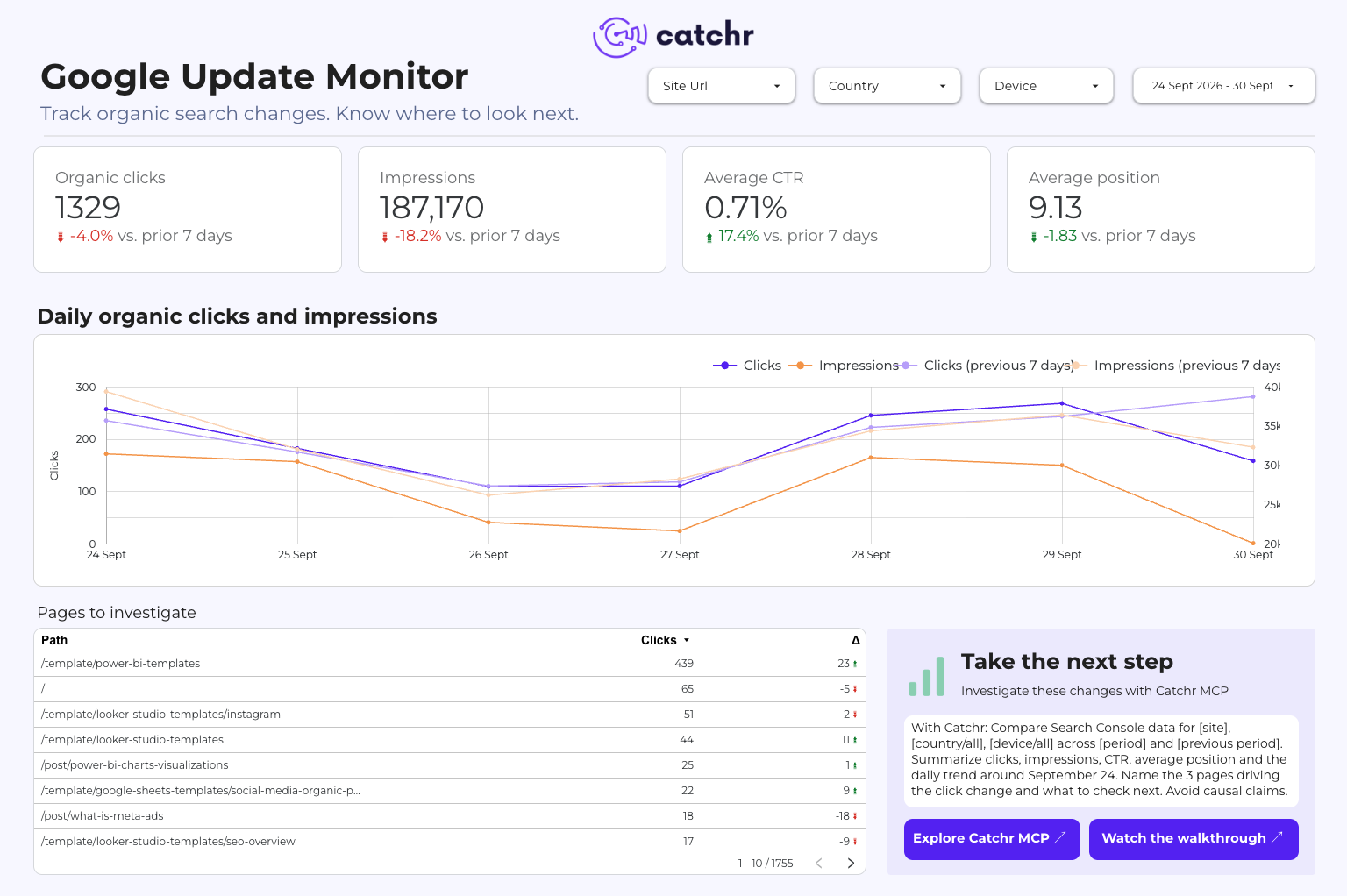
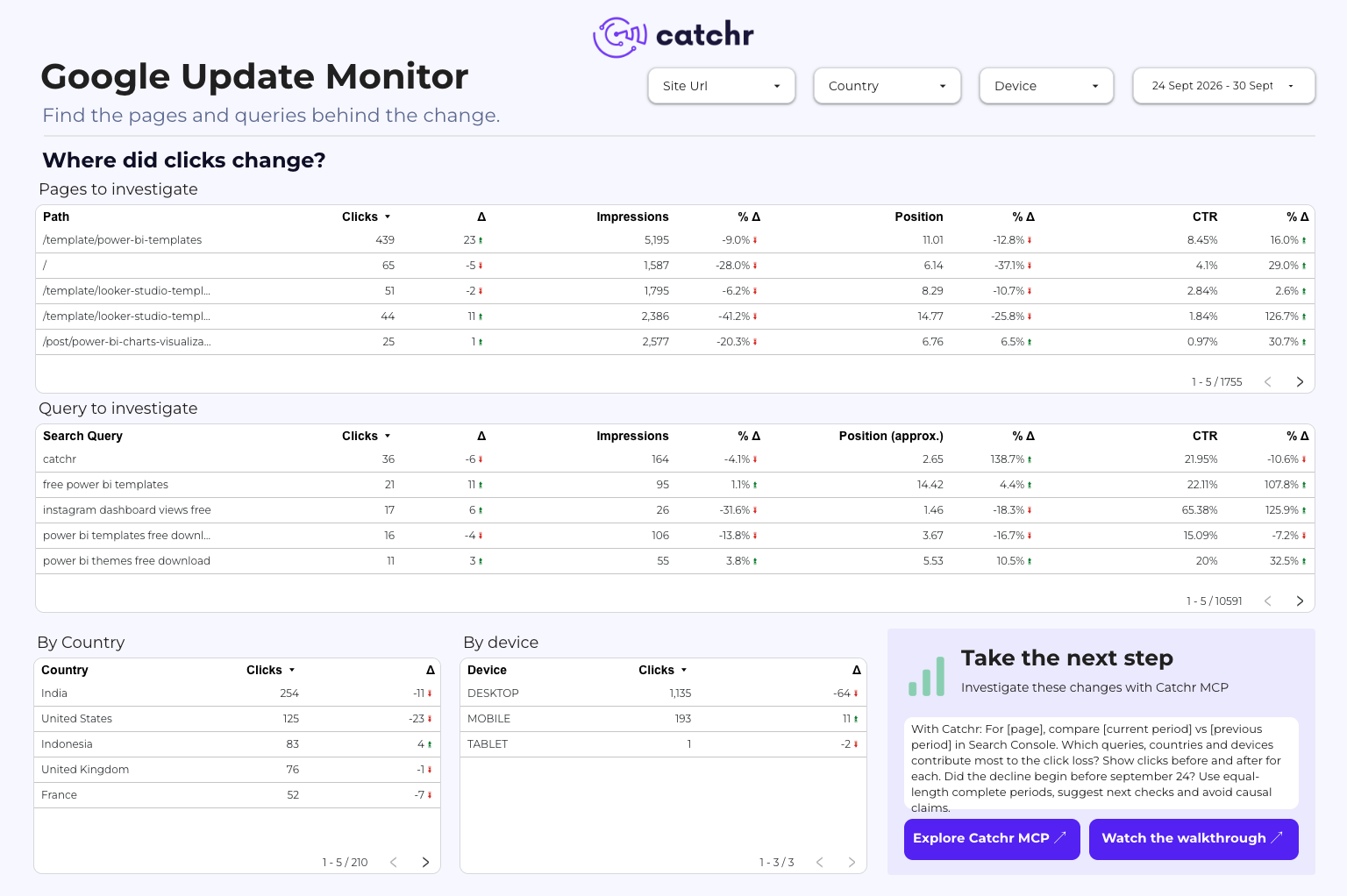
The Overview page compares clicks, impressions, CTR and average position with the previous period and shows the daily click trend. The Pages & Queries page highlights URLs and search terms with the largest click losses, alongside country and device breakdowns.

Two prompts are built into the report. Copy them into an AI assistant connected to Catchr MCP to summarize changes across a site or investigate a specific page. You can also check whether a decline began before the update. Timing alone does not prove the update caused it.

Metrics used

  • Clicks
  • Impressions
  • CTR
  • Position (average)

Dimensions used

  • Day
  • Full URL
  • Search Query
  • Country
  • Device
  • Search Console property / site (filter)

‍

Questions you can answer with this template

How to set up the Google Search Console Looker Studio template

Get the template

Click Get this template at the top of this page to open the report in Looker Studio.

Connect your data

Authorize your Google Spam Updates account through the Catchr connector, then choose the ad account you want to report on.

The template maps its fields to that account.

Open your report

All the pages refresh automatically, so the report stays up to date without manual exports.

Looking for other Data Studio Dashboards?

We provide ready to work Data Studio dashboard for all your marketing needs.

Data Studio Looker Studio templates FAQ

Analyze your Google Spam Updates performance in Data Studio with a ready-to-use dashboard template. Track key metrics, dimensions, and build clearer reports faster with Catchr.

What is this Google Spam Updates Data Studio template used for?

This template helps you visualize your Google Spam Updates data in Data Studio. You can use it to monitor performance, follow key metrics, and create clearer marketing reports without starting from scratch.

Do I need technical skills to use this template?

No. The template is designed to be simple to use. You only need to connect your Google Spam Updates account through Catchr, then open the report in Data Studio.

Can I customize this Google Spam Updates dashboard template?

Yes. Once you copy the template, you can edit charts, metrics, filters, colors, and layout to match your reporting needs.

Is this Data Studio template free?

Yes, the template is free to use. You can copy it and connect your own data. The connector may require a Catchr subscription after the free trial.

How often is the data updated?

Your data can be refreshed automatically through Catchr, so your Data Studio report stays up to date without manual exports.

Can I use this template for client reporting?

Yes. You can copy the template, connect a client’s Google Spam Updates account, customize the report, and share it directly from Data Studio.

Who is this template made for?

This template is useful for marketers, agencies, freelancers, and teams that need a faster way to report on Google Spam Updates performance.

Still have a question?

Our team is always here to answer any questions you may have about our data connector.

Your next report should not start with five exports

Connect your marketing platforms and build a data workflow your entire agency can use.

14 days free-trial
No credit-card required
100+ sources