
Before you can do anything in Power BI, you need to bring data into your report. There are many ways to do this, sometimes manually through exports and imports, and sometimes automatically using online services, APIs, or connectors.
In this lesson, we’ll focus on the most essential and commonly used ways for marketing teams to connect their data to Power BI. We’ll also explain how to choose between Import and DirectQuery, and share high-level best practices to avoid common issues.
How to get data in Power BI
When you click Get data in Power BI Desktop, you’ll see that data sources are grouped into seven main categories. You can connect data from files and folders, databases, Microsoft Fabric, Power Platform, Azure services, online services, and other sources, including web-based connections.
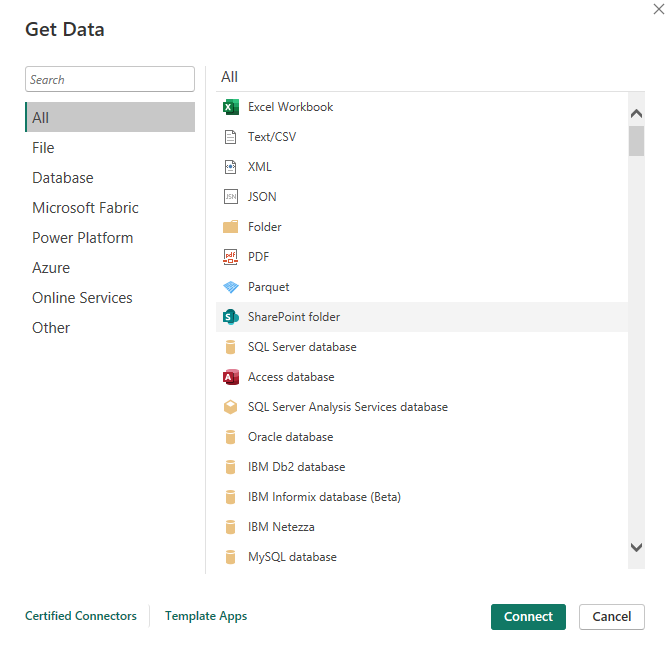
While Power BI offers many technical options, most marketing reporting setups rely on a much smaller subset of these sources.
Main ways to get data in Power BI
In practice, the most common ways to feed a Power BI report in a marketing context are the following:
- Import data from a CSV export
- Import data from an Excel export
- Connect to an online service or API
- Use a connector to automate data collection and refresh
Each method has its advantages and answers different needs in terms of automation, data freshness, and scalability.
Importing data from CSV or Excel files
CSV and Excel files are often the starting point for marketing teams. Data exported from platforms such as Meta Ads, Shopify, analytics tools, advertising platforms, or CRMs can be loaded directly into Power BI.
This approach is easy to set up and works well for learning, testing, or small reporting needs. It gives full flexibility when building dashboards, but it relies on manual updates and becomes harder to maintain as reporting grows.
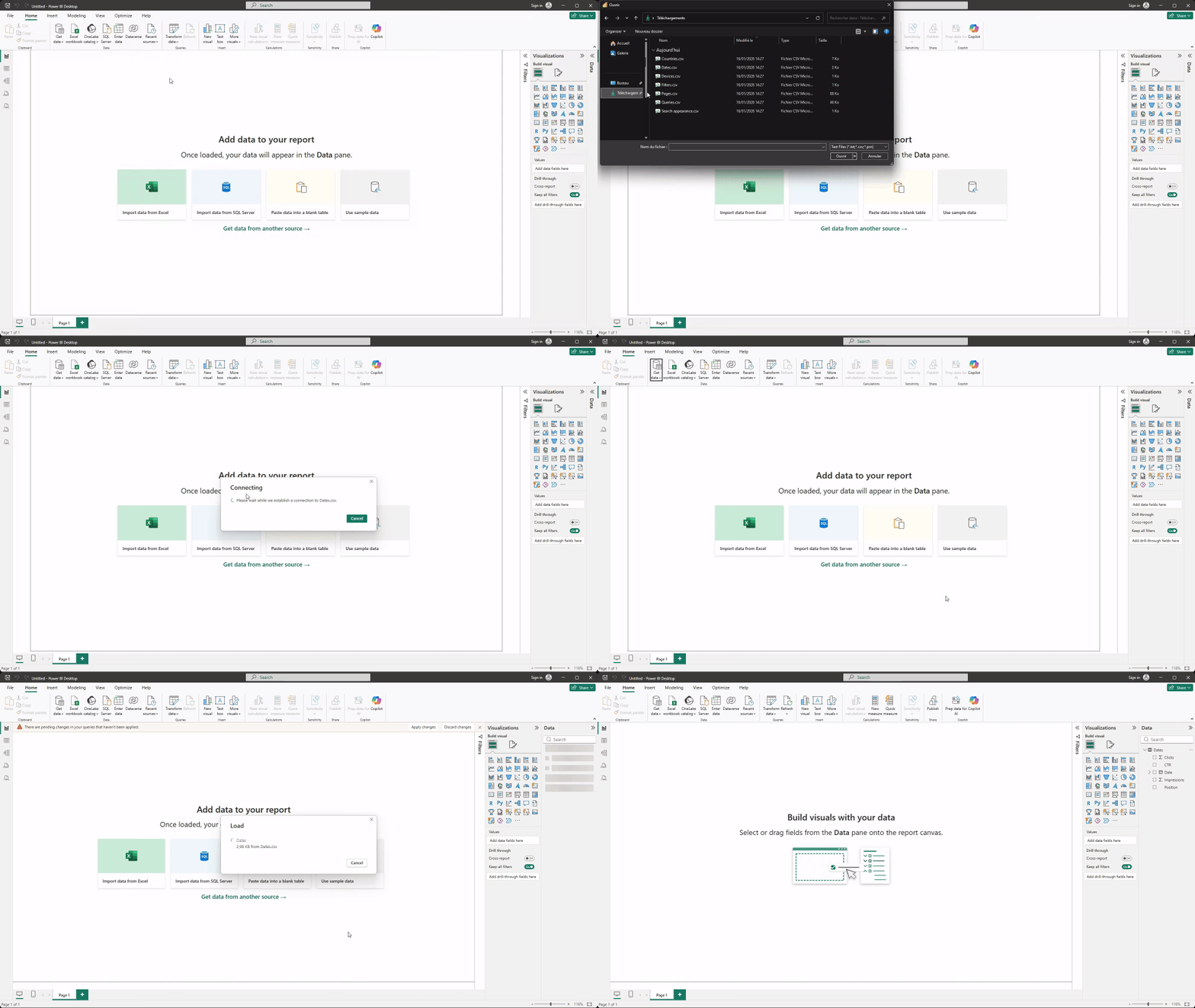
Data from a CSV to Power BI
- Click Get Data.
- Select Text/CSV.
- Choose your file and click Load to import the data.
Data from Excel to Power BI
- Click Get Data.
- Select Excel Workbook.
- Choose your file and click Load to import the data.

Connecting to online services and APIs
Power BI also allows you to connect directly to certain online services. These connections reduce manual work by pulling data from the source without exporting files.
- Click Get Data.
- Select Online Services tab.
- Choose your service and follow the instructions in Power BI.
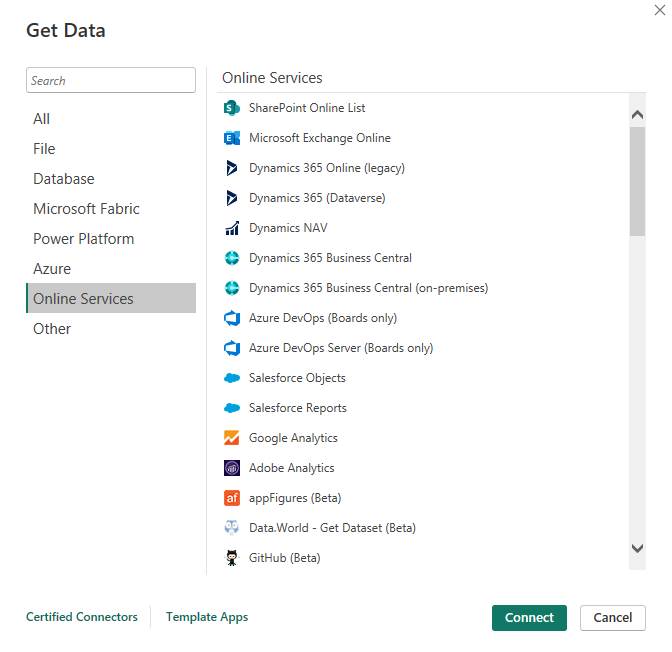
For marketing teams, this can be useful when supported services match reporting needs. However, availability and limitations vary depending on the platform, and this approach still requires monitoring and maintenance.
Using connectors to automate marketing data
Connectors are designed to simplify data access by handling authentication, extraction, and refresh automatically. Instead of managing exports or API logic, marketers can focus on analysis and dashboards.
This approach is especially useful when working with multiple platforms, recurring reports, or shared dashboards. Connectors help standardize data structures and ensure data stays up to date.
Which method should you choose to get data in Power BI
To choose the best method for your needs, we’ll base the decision on your report’s primary use case, the level of automation required, and how fresh and scalable the data needs to be, while also considering the limitations of each option and the setup effort involved.
Import vs DirectQuery in Power BI
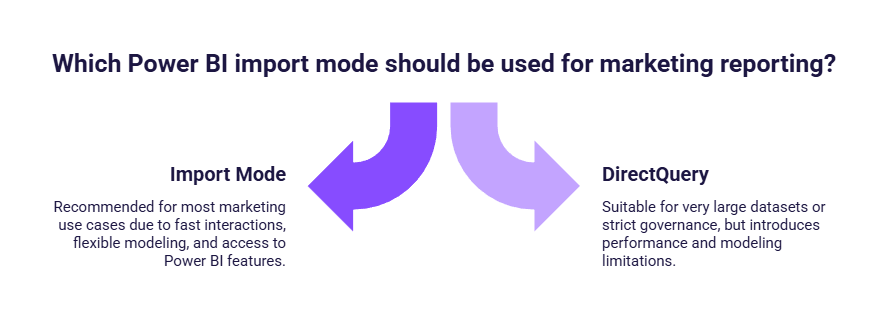
When connecting data to Power BI, you also need to choose how the data is accessed. Power BI mainly offers two modes: Import and DirectQuery.
Import mode for marketing reporting
With Import mode, data is copied into Power BI and stored in the dataset. This allows fast interactions, flexible modeling, and access to most Power BI features.
For marketing teams, Import mode is the most common and recommended option. It works well with files, connectors, and many online services, and offers the best balance between performance and simplicity.
DirectQuery and when it makes sense
DirectQuery keeps data in the original source and queries it in real time. While this can be useful for very large datasets or strict governance requirements, it introduces limitations in performance and modeling.
For most marketing reporting use cases, DirectQuery adds complexity without clear benefits.
Best practices to get data in Power BI
Choosing the right way to connect your data has a direct impact on how reliable and maintainable your Power BI reports will be over time. Most issues marketers encounter do not come from Power BI itself, but from how data is connected and prepared in the first place. Following a few best practices and avoiding common mistakes early on can save a lot of time later.
- Start with the simplest data source possible and scale your setup as reporting needs grow.
- Use Import mode in most marketing scenarios, as it offers better performance and flexibility than DirectQuery.
- Keep your data structure consistent over time, since changes in column names or formats often break existing visuals and KPIs.
- Make sure key fields such as dates and core metrics are correctly typed before building the report.
- Avoid mixing multiple exports with different structures unless they are standardized first.
- Fix data quality issues at the source whenever possible instead of compensating for them inside visuals.
- Do not rebuild reports from scratch when data changes; improve the data connection or refresh process instead.
- When reporting becomes recurring or involves multiple platforms, move away from manual exports and consider online services or connectors to keep dashboards up to date.
Conclusion
Connecting data to Power BI is a strategic decision, not just a technical one. Starting simple with file-based imports and Import mode is often the right approach for marketing teams, while automation through connectors becomes essential as reporting scales. Choosing the right connection method early makes Power BI reporting more reliable, efficient, and easier to maintain over time.