Power BI is especially valuable for marketers because it can combine data from multiple platforms in one place, such as ads, analytics, SEO, and CRM, instead of keeping performance scattered across separate dashboards.
The key question is not whether this is possible, but how to connect data in a way that stays reliable and scalable as reporting grows. In this article, we’ll cover which marketing platforms can be connected to Power BI, what marketers usually need from these connections, and the two main ways to do it in practice.
What marketing platforms can be connected to Power BI
Power BI can work with data from most major marketing platforms, either directly or indirectly. In a marketing context, this usually includes:
- Advertising platforms such as Meta Ads, Google Ads, LinkedIn Ads, or TikTok Ads
- Analytics and SEO platforms like Google Analytics 4 and Google Search Console
- CRM and revenue data from tools like HubSpot or Salesforce
- Email and lifecycle platforms used for campaigns and engagement tracking
What marketers usually need from a Power BI connection
When connecting marketing platforms to Power BI, marketers tend to have very consistent expectations:
- Regular refresh, often daily, so dashboards reflect recent performance
- Granularity that supports decisions, such as date, campaign, ad, channel, country, or device
- Historical data, allowing trend analysis and seasonality comparisons
- Consistent KPI definitions over time, so metrics like ROAS, CPA, or conversions remain comparable
If a connection cannot deliver these basics, reporting quickly becomes frustrating or misleading.
Two ways to connect marketing platforms to Power BI
In practice, marketing teams rely on two main approaches to bring platform data into Power BI. Each one fits different stages of maturity.

Manual exports (CSV or Excel)
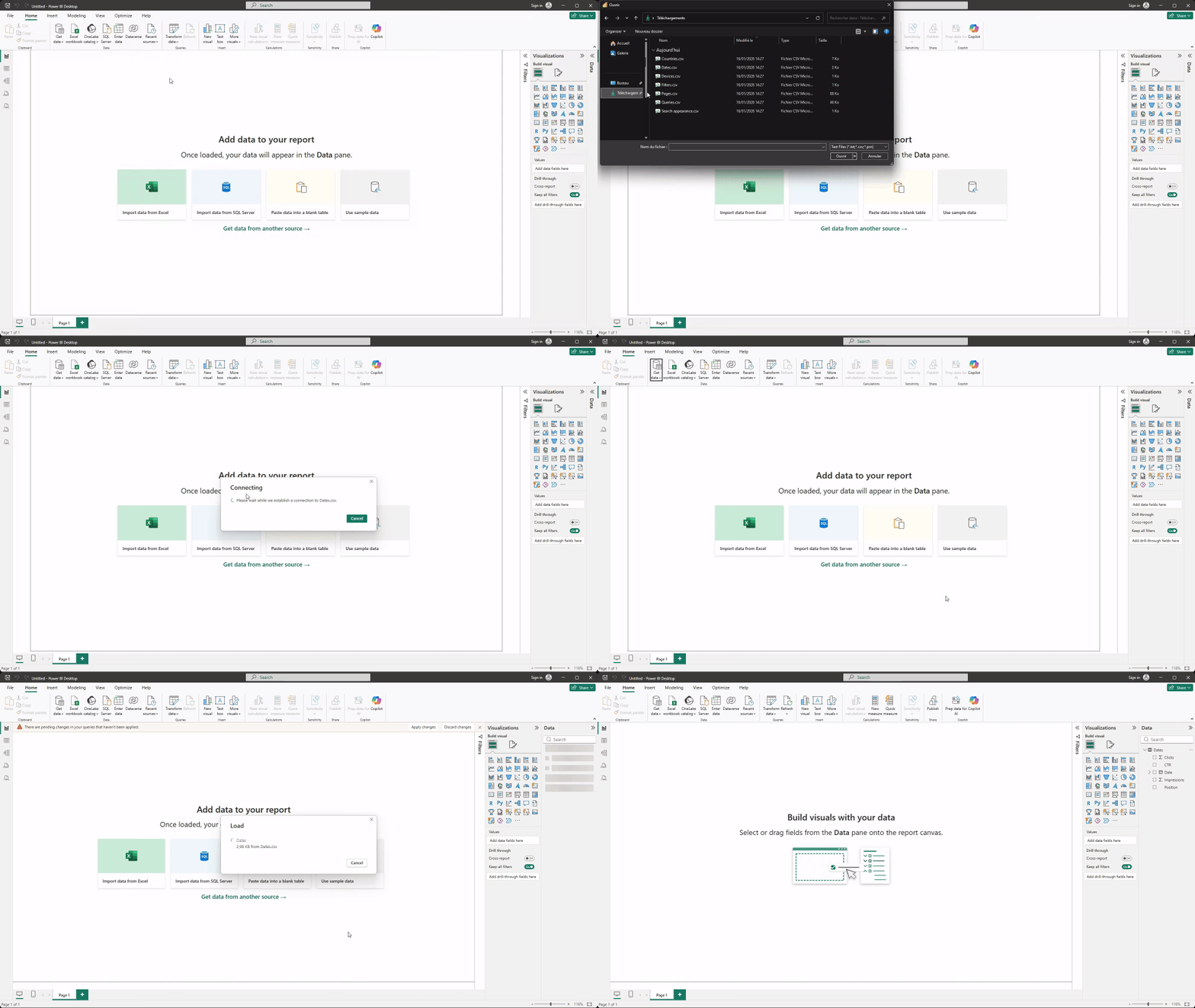
Manual exports are often the first step. Most marketing platforms allow data to be exported as CSV or Excel files, which can then be imported into Power BI.
This approach works well when:
- You are getting started with Power BI
- Reporting is occasional or exploratory
- Data volumes are limited
If you want a practical walkthrough, you can refer to our dedicated guide on how to connect Excel and CSV files to Power BI.
APIs and connectors (automation layer)
APIs and connectors automate the process of collecting data from marketing platforms and delivering it to Power BI. Instead of exporting files manually, data is pulled automatically and refreshed on schedule.
This approach becomes essential when:
- Dashboards need to be updated daily or more often
- Multiple platforms are combined in the same report
- Reports are shared with teams or leadership
- Data consistency matters over time
Solutions like Catchr act as an automation layer between marketing platforms and Power BI. Catchr connects to more than 80 marketing platforms and delivers clean, ready-to-use datasets directly into Power BI, allowing marketers to focus on analysis rather than data collection.
How a connector like Catchr works
To automate marketing data delivery to Power BI, connectors like Catchr act as an intermediate layer between your marketing platforms and your BI tool.
At a high level, the process looks like this:
- You connect your marketing platform to Catchr through a web interface.
- You define what data you need, such as metrics, dimensions, date range, and filters.
- Catchr prepares the dataset and exposes it as a refreshable data source.
- Power BI then imports this dataset, which can be refreshed automatically like any other source.
Typical setups depending on team maturity
Most marketing teams evolve progressively in how they connect platforms to Power BI.
- Solo marketers or early-stage teams often rely on manual exports to explore data and build initial dashboards.
- Small to growing teams usually start automating key data sources to reduce manual work and improve reliability.
- More mature teams depend on connectors to maintain daily, shared dashboards fed by multiple platforms.
There is no single “right” setup. The best approach depends on how critical reporting is to daily decision-making.
Conclusion
Connecting marketing platforms to Power BI is a strategic choice, not just a technical one. Manual exports are often enough to get started, but they quickly reach their limits as reporting becomes more frequent and collaborative. Automated connections provide the reliability and consistency needed for scalable marketing dashboards. Power BI delivers the most value when it is fed with clean, regularly updated marketing data that matches how teams actually work.