Home > Destinations > Google Sheets > Apple Search Ads

Connect Apple Search Ads to Google Sheets

Import Apple Search Ads data into Google Sheets with Catchr. Build custom reports, schedule refreshes, and replace manual CSV exports without code.

Looker Studio
Power BI
Google Sheets
BigQuery
Snowflake

Trusted by teams that would rather improve campaigns than copy cells.

What a Apple Search Ads export cannot do, and a connected sheet can

Advertising Manager exports one account, one date range, one set of columns. Catchr keeps the same query running, so the sheet you built last month still fills itself this month.

The Monday-morning scramble, deleted

No more opening every Advertising account, changing every date range, downloading every CSV, and rebuilding the same report before the weekly meeting.

One campaign. One shared language.

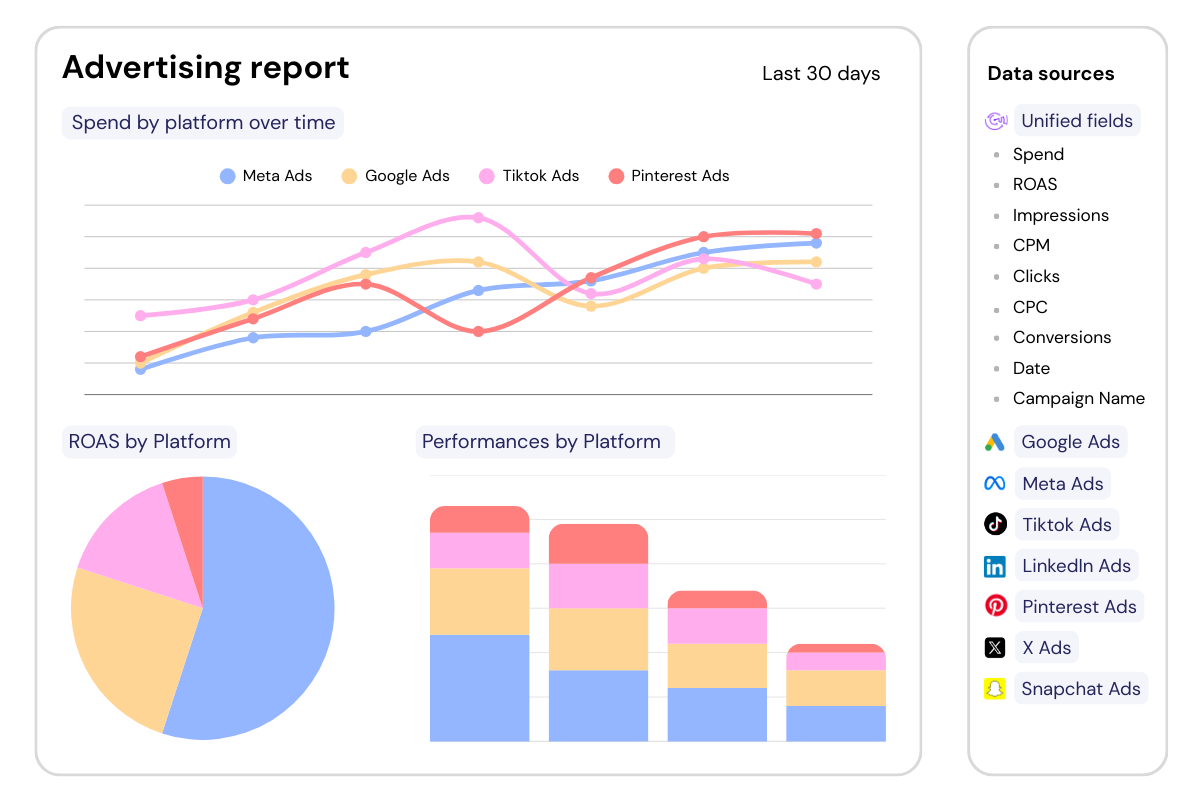
Organize each source in its own clean tab, then bring spend, traffic, leads, and revenue together in the views your team actually uses.

A file your team can actually work in

Add forecasts, targets, comments, formulas, client notes, and custom calculations around your campaign data.

How to connect Apple Search Ads to Google Sheets

No scripts to maintain. No API documentation to study. No recurring CSV ritual.

Step one

Install the Google Sheets add-on

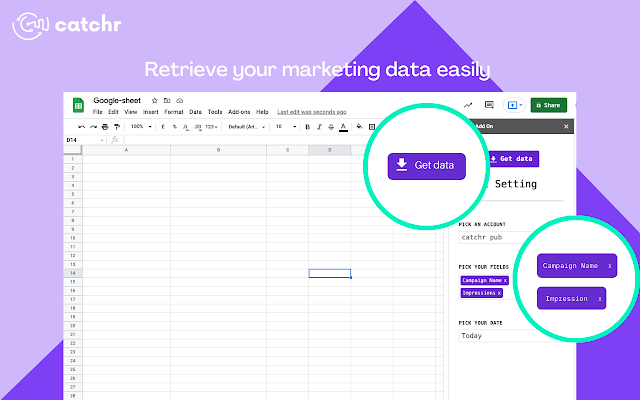
Add Catchr to Google Sheets from the Google Workspace Marketplace, then open it from the spreadsheet where you want to work.

Step Two

Launch the Catchr add-on

Open Google Sheets and start the Catchr add-on. Sign in with your Catchr account.

Step Three

Configure your import

Choose Apple Search Ads, the Advertising accounts, the metrics and dimensions, the date range, and the cell where the data should land.

Step Four

Refresh automatically

Run your first import, then schedule automatic refreshes to keep your spreadsheet up to date while your formulas, charts, and pivot tables continue working.

Apple Search Ads metrics and dimensions available in Google Sheets

Access 30 metrics and 106 dimensions from Apple Search Ads connectors including Campaign Name, Ad Group Name, Keyword Text, Keyword Match Type, Search Term Source, Country Or Region, Day of the month, Local Spend Amount, Impressions, Taps, Installs, Conversion Rate, Tap-Through Rate (TTR), Average Cost Per Install Amount.

30

Available metrics

106

Available dimensions

Five tabs that replace five recurring Apple Search Ads headaches

Use Catchr to create dashboards that show what is working, what is wasting budget, and where performance is changing.

What changed since yesterday?

Track Local Spend Amount, Impressions, Taps, Installs, Conversion Rate, Tap-Through Rate (TTR), Average Cost Per Install Amount.

Use conditional formatting to flag a campaign whose cost per purchase moved outside your range overnight, or whose frequency climbed while CTR fell.

The media buyer opens one tab and knows where to look.

Will we hit the plan?

Compare planned budget with actual spend by client, ad account, campaign, or market.

Calculate how much of the month has passed, how much of the budget has been consumed, and where the campaign lands at its current pace.

Catch overdelivery on a campaign budget optimization campaign before the end-of-month explanation.

Where should the next budget move go?

Place Apple Search Ads beside other channel.

Compare the KPIs that can genuinely be shared, and keep the Meta-specific ones, such as frequency, reach, and results by objective, in their own source tab. The result is not a forced attribution model.

It is a clearer view of how each channel contributes.

What can we explain in five minutes?

Create a client-facing tab with performance, budget status, key changes, comments, and next actions.

The raw source tabs stay available for deeper investigation, while the client gets the view that answers the questions they actually ask, without a live tour through Ads Manager.

What should we repeat next time?

Keep a structured history of campaign performance, targets, observations, and decisions.

Compare launches, promotions, seasons, creative concepts, or audiences using a reporting structure that remains under your control.

The spreadsheet becomes more than a weekly deliverable. It becomes the memory of your acquisition team.

Apple Search Ads to Google Sheets pricing

Choose your plan by the number of platforms and accounts you report on.

Starter

For freelancers and small teams.

$ 24 /mo

Billed monthly · cancel anytime

Platforms3
Accounts10
Start free trial

Growth

For agencies managing more clients.

$ 239 /mo

Billed monthly · cancel anytime

Platforms10
Accounts100
Start free trial

Scale

For teams reporting at scale.

$ 599 /mo

Billed monthly · cancel anytime

Platforms25
Accounts500
Start free trial

Customer testimonials

What our customers say about us.

85 %
Faster
Reporting time

After three years of use, Catchr has become essential for both our teams and our clients. So far, it has been our best solution for compiling and analyzing data from different advertising platforms. It’s easy to set up, and the customer service is responsive and excellent.

Valentin Keravel
CEO, Laio – Agency

With Catchr’s automated API, we can finally collect and centralize all advertising data, connect it with booking information, and calculate the real ROAS for our restaurant clients. It gives them full visibility, more autonomy, and the ability to optimize campaigns to maximize ROI.

Corentin Largeron
Freelance
30
hours saved

The solution is a real game changer, providing optimal time savings for our data reporting. The major strength of the solution is their highly responsive and professional support.

Corentin Largeron
CEO at The Browz – Agency

Apple Search Ads to Google Sheets: FAQs

Answers to common questions about connecting Apple Search Ads data to Google Sheets.

How do I import Apple Search Ads campaign data into Google Sheets?

Install or open the Catchr add-on in Google Sheets, connect Apple Search Ads, and choose the source account(s) you need. Use Get Data to import Average Cost Per Acquisition Amount and Average Cost Per Acquisition Currency into a dedicated raw-data tab.

Can I choose Apple Search Ads accounts, campaign fields, dates, and filters?

Select Average Cost Per Acquisition Amount, Average Cost Per Acquisition Currency, and Average CPM Amount with the relevant advertiser dimensions available from Apple Search Ads. Set the account(s), date range, and filters before importing a focused result into Google Sheets.

How often can Apple Search Ads campaign results refresh in Google Sheets?

Schedule the Apple Search Ads query to refresh hourly, daily, weekly, or monthly. Keep Average Cost Per Acquisition Amount and Average Cost Per Acquisition Currency current on the cadence that fits a report tracking spend, impressions, clicks, and click-through rate by campaign.

Will Apple Search Ads refreshes keep my pacing formulas and campaign pivots working?

Keep imported Apple Search Ads rows for Average Cost Per Acquisition Amount and Average Cost Per Acquisition Currency in a dedicated data tab, with formulas, charts, and pivot tables in report tabs. Refreshes update the query output while Google Sheets retains its sharing controls.

Which paid media decisions can Apple Search Ads data support in Google Sheets?

Build a Apple Search Ads report that summarizes spend, impressions, clicks, and click-through rate by campaign. Compare Average Cost Per Acquisition Amount with Average Cost Per Acquisition Currency in Google Sheets to guide budget allocation and campaign optimization.

Still have a question?

Our team is always here to answer any questions you may have about our data connector.

Your next report should not start with five exports

Connect your marketing platforms and build a data workflow your entire agency can use.

14 days free-trial
No credit-card required
100+ sources