Power BI pricing and licensing can be confusing for marketing teams, especially when moving from personal dashboards to shared and automated reporting. While Power BI is often described as “free,” that is only true in specific situations and quickly changes once collaboration or automation is required.
In this article, we explain whether Power BI is free, break down the different licensing options with indicative prices, clarify what is included in Microsoft 365, and summarize what marketing teams usually need in practice.
Is Power BI free?
Power BI is free to use only for building reports locally. With Power BI Desktop, marketers can connect to data, prepare it, create KPIs, and design dashboards on their own computer at no cost.
However, the free version is limited to individual use. You cannot publish reports, share dashboards with others, collaborate in workspaces, or schedule automated refresh. As soon as marketing reporting needs to be shared or kept up to date automatically, a paid license becomes necessary.
In short, Power BI is free to learn and experiment with, but not sufficient for team-based marketing reporting.
Power BI pricing explained
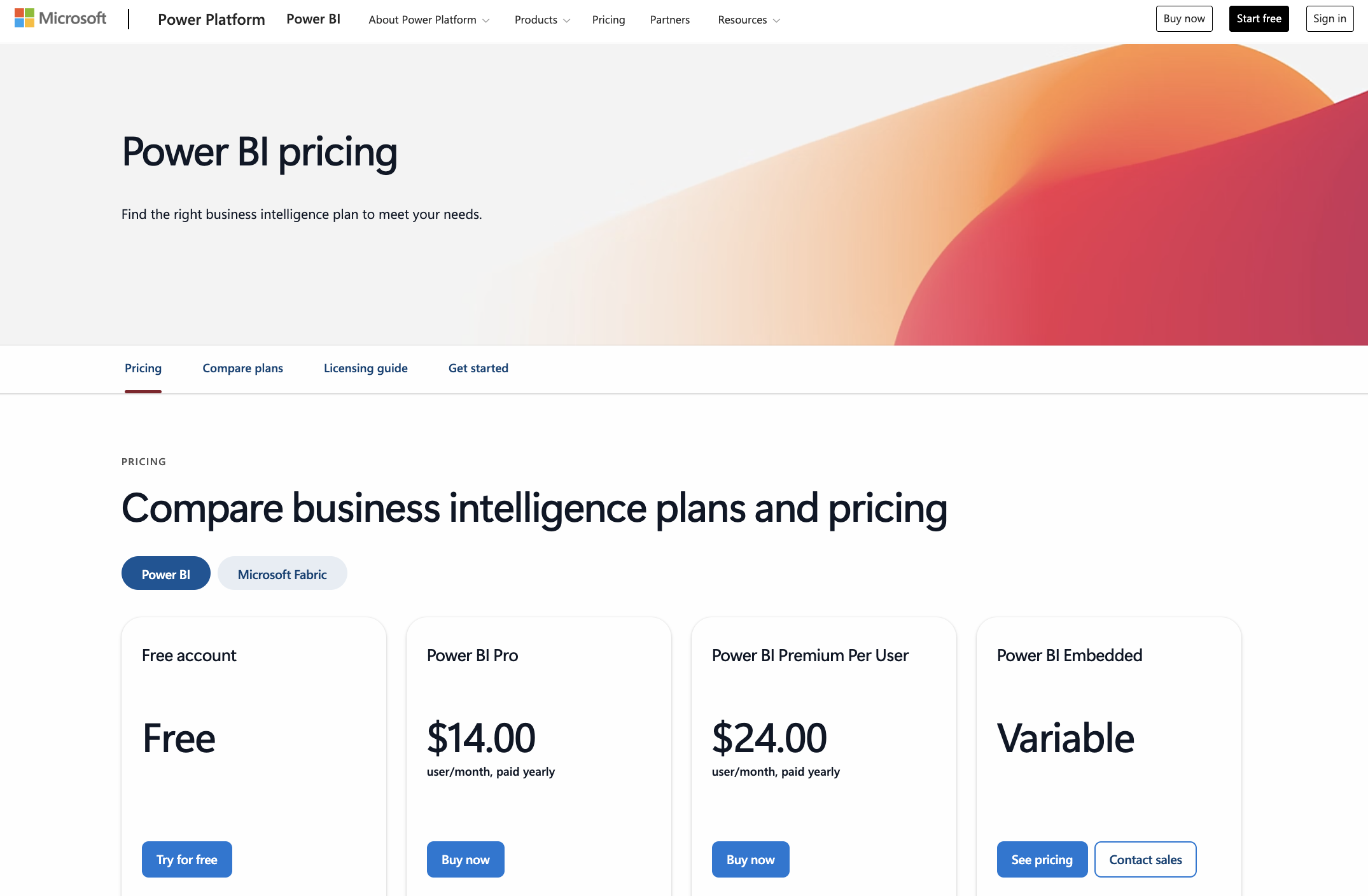
Power BI licensing is primarily based on how reports are shared and consumed, not on how they are built. Prices may vary slightly by region and currency, but the ranges below reflect what marketing teams typically encounter.
Is Power BI included in Microsoft 365 or Office 365?
Power BI is not fully included in Microsoft 365 or Office 365 by default. While some Microsoft plans allow limited viewing capabilities, publishing, sharing, and managing Power BI content require a dedicated Power BI license such as Pro or Premium.
For marketing teams, this is an important distinction. Having Microsoft 365 does not automatically mean you can use Power BI for collaborative reporting.
What marketing teams usually need
In practice, most marketing teams do not need complex or enterprise-level licensing. A common and effective setup is:
- Power BI Desktop (free) to build and test reports
- Power BI Pro to publish, share dashboards, and automate refresh
Premium Per User can be useful for more advanced teams dealing with larger datasets or higher refresh needs, while Premium capacity is generally reserved for large organizations with a high number of dashboard viewers.
What’s next?
Now that you understand Power BI pricing and licensing, the next step is to install Power BI Desktop and start working with real marketing data, or move on to connecting your data sources and building your first marketing dashboard in Power BI.