In Power BI, the terms dashboard, report, and dataset are often used interchangeably, but they refer to very different concepts. This confusion can lead to poor design choices, especially for marketing teams who are just getting started with Power BI.
Understanding what each element is, what it’s used for, and how they fit together helps you design clearer reports, avoid unnecessary complexity, and deliver insights that actually match your audience’s needs.
What is a Power BI report?
A Power BI report is the main analysis and visualization layer in Power BI. Reports are created in Power BI Desktop and can contain multiple pages, each with its own visuals, filters, and interactions.
Reports are fully interactive. Users can:
- apply slicers and filters
- drill down into data
- navigate between pages
- explore performance from different angles
Each report is connected to a single dataset, which defines the data model and KPIs behind the visuals.
For marketing teams, reports are typically used to analyze performance by channel, campaign, audience, or time period. This is where most day-to-day analysis happens.

What is a Power BI dashboard?
A Power BI dashboard exists only in Power BI Service, not in Power BI Desktop. It is a single-page canvas built by pinning visuals from one or more reports.
Dashboards are designed for monitoring, not exploration. They are:
- limited to one page
- read-only
- focused on high-level KPIs
Each tile in a dashboard links back to the original report, where deeper analysis can happen.
Dashboards are often used to provide a quick overview of key metrics such as spend, conversions, or revenue, especially for stakeholders who want an at-a-glance view.
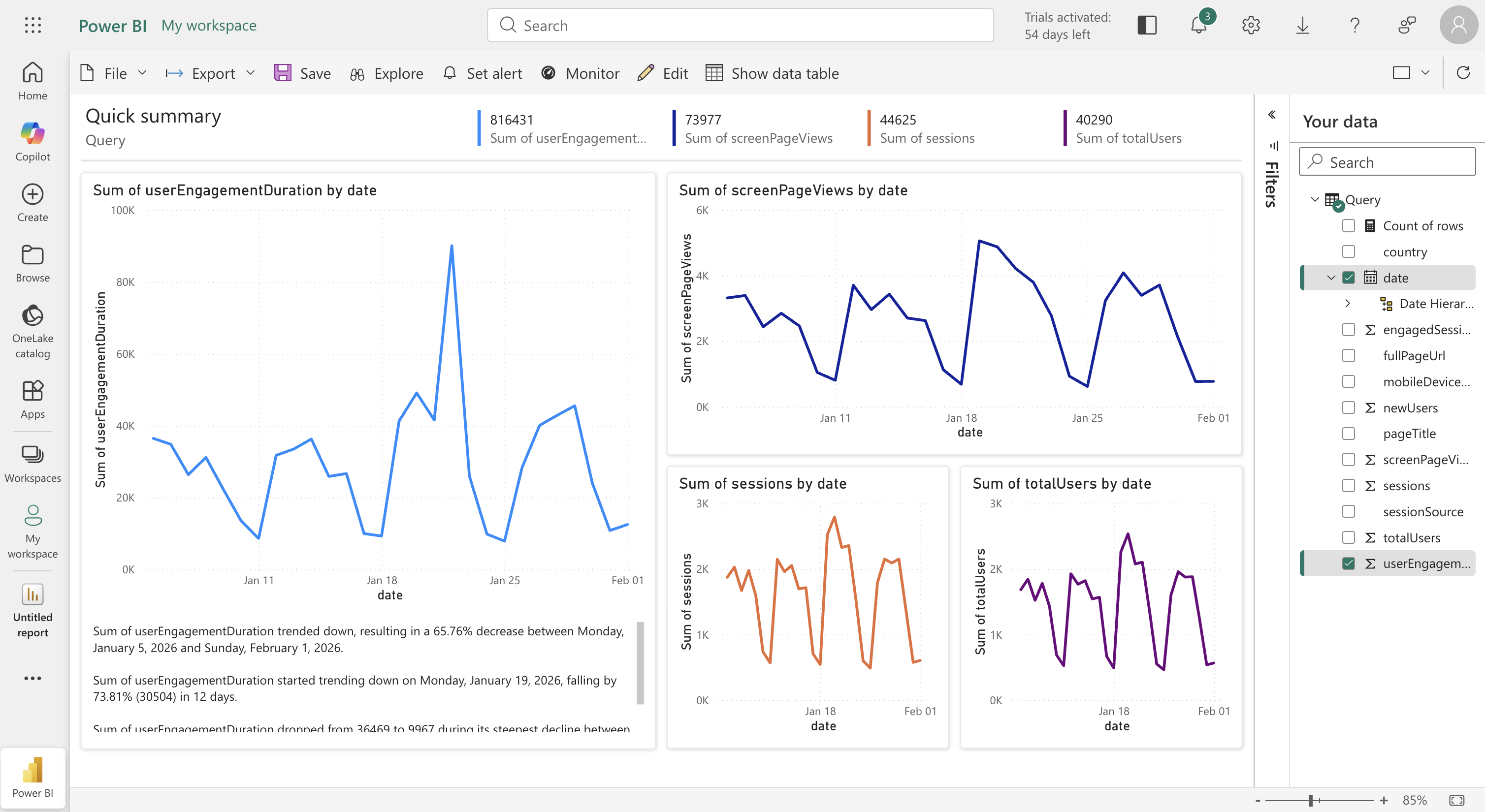
Difference between Dashboard and Report
Dashboard, report, and dataset
To use Power BI effectively, it’s important to understand how datasets, reports, and dashboards relate to each other.
- A dataset is the foundation. It contains the data model, relationships, and KPI logic.
- A report sits on top of a dataset and is used to explore, analyze, and visualize the data.
- A dashboard sits on top of one or more reports and surfaces a curated selection of visuals.

Common misconceptions to avoid
Some misunderstandings appear frequently when teams start using Power BI:
- Thinking dashboards are the place where analysis happens
- Creating dashboards before KPIs are clearly defined
- Building one dashboard per use case instead of reusable reports
- Confusing reports and dashboards as interchangeable objects
Clearing up these misconceptions early helps teams design cleaner, more scalable reporting setups.
Key takeaways
Power BI dashboards, reports, and datasets each serve a distinct purpose. Datasets provide the foundation, reports enable analysis, and dashboards offer a high-level summary. Understanding these differences allows marketing teams to choose the right tool for the right audience and avoid unnecessary complexity as reporting grows.